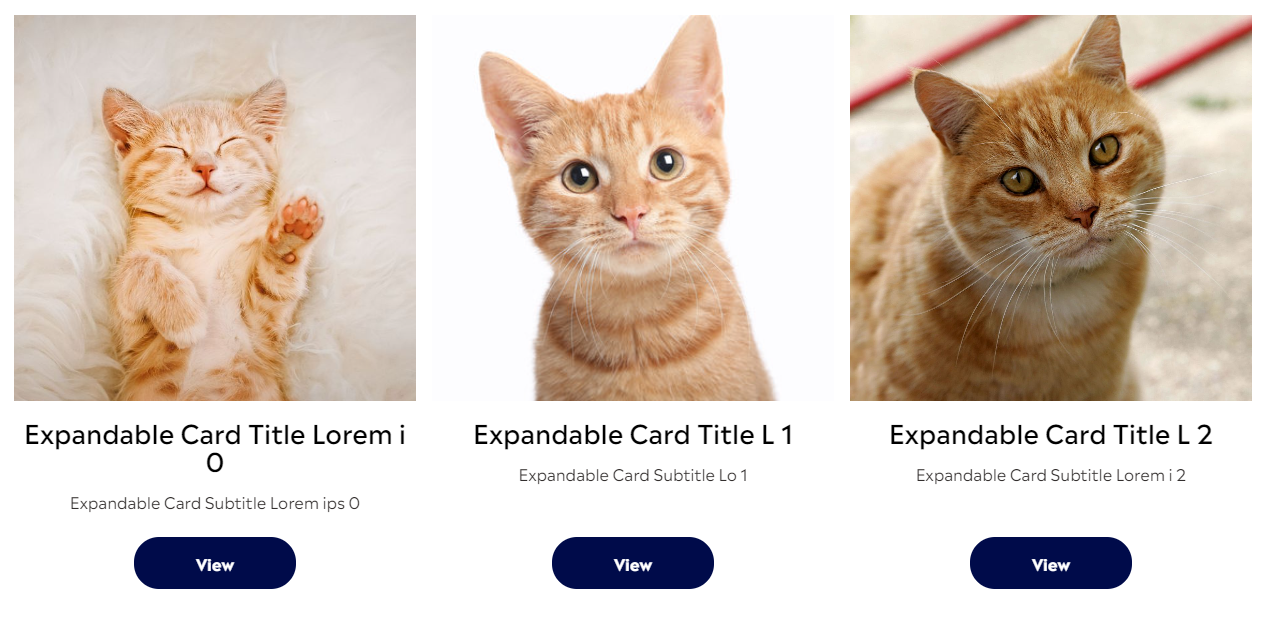
Reading time: 8 min read
If you are having issues with composite components with placeholders in Storybook or Jest, this blog is for you.
Background
In Sitecore Next.js, componentFactory.js is a temp file generated at build time that maps Sitecore renderings to react to components. When you place a rendering into a placeholder, this factory is responsible for correctly finding the right react component to display. However, you may find that if you are trying to display a composite component (with its own custom placeholder) in Storybook, you will be faced with an error:

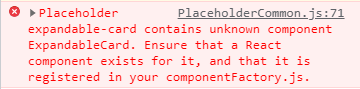
This blog is aimed at solving this issue by creating a mock component factory.
The Issue
Storybook is simply unable to find the componentFactory.js because it is missing the Sitecore-specific wrapper that provides context and componentFactory.
My Setup
I have a parent component named ExpandableCardsContainer that contains a placeholder 'expandable-card' and a child component called ExpandableCard meant to be added to the 'expandable-card' placeholder.
    const ExpandableCardsContainer = ({ rendering }: ExpandableCardsContainerProps): JSX.Element => {
      return (
        <div className="expandable-cards-container">
          <Placeholder
            name={`expandable-card`}
            rendering={rendering}
          />
        </div>
      );
    };
    const ExpandableCard = ({ fields }: ExpandableCardProps): JSX.Element => (
      <div className="expandable-card">
        Content
      </div>
    );
My Storybook file:
    import React from 'react';
    import { ComponentStory, ComponentMeta } from '@storybook/react';

    import ExpandableCardsContainer from 'components/Feature/Page Content/ExpandableCardsContainer';
    import { loremIpsumGenerator } from 'lib/lorem-ipsum-generator';
    import { withDatasourceCheckComponentArgs } from 'src/stories/helper';

    export default {
      title: 'Feature/Page Content/ExpandableCardsContainer',
      component: ExpandableCardsContainer,
      argTypes: {},
    } as ComponentMeta<typeof ExpandableCardsContainer>;

    const expandableCardsFactory = (count: number): any => {
      return Array.from(Array(count).keys()).map((index: number) => {
        const imgSrc = `stories/cards/cat${(index % 4) + 1}.jpg`;
        return {
          componentName: 'ExpandableCard',
          dataSource: 'Expandable Card Datasource',
          fields: {
            ... content
          },
        };
      });
    };

    const Template: ComponentStory<typeof ExpandableCardsContainer> = (args) => (
      <ExpandableCardsContainer {...args} />
    );

    export const TenCards = Template.bind({});
    TenCards.args = {
      ...withDatasourceCheckComponentArgs,
      rendering: {
        componentName: 'ExpandableCardsContainer',
        placeholders: {
          'expandable-card': expandableCardsFactory(10),
        },
      },
    };
The Solution
Add or merge the code below to your Storybook's preview.js:
    const mockSitecoreContext = {
      context: {
        pageEditing: false,
      },
      setContext: () => { },
    };

    export const mockComponentFactory = function (componentName) {
      const components = new Map();
      components.set('YOUR RENDERING NAME', <YOUR COMPONENT>)

      const component = components.get(componentName);

      if (component?.element) {
        return component.element();
      }

      return component?.default || component;
    };

    export const decorators = [
      (Story) => (
        <SitecoreContext context={mockSitecoreContext} componentFactory={mockComponentFactory}>
          <Story />
        </SitecoreContext>
      ),
    ];
Note that we straight-up copied the structure of the auto-generated componentFactory.js, but we manually set the map from the rendering name to their respective components. In my case, I had to add 'components.set('ExpandableCard', ExpandableCard)'. Do not forget to import the component FYI.
Additionally, if you have not, I included the mockSitecoreContext in order to bypass 'missing sitecore Context' error.
Boom.