If the rollout and UX hold up
Sitecore is finally surfacing something a lot of teams have wanted for years: a more concrete view of who is actually visiting the site and what those people are doing. That's what the new Profiles feature in SitecoreAI appears to be all about.
On paper, this is not the flashiest announcement in the world. It's not a new model, nor a dramatic automation layer, or some giant leap in decisioning. But it may end up being one of the more useful additions for teams doing analytics, personalization, and audience analysis inside the SitecoreAI ecosystem.
Because most personalization conversations break down in exactly the same place: people can talk about segments, events, affinities, and journeys all day, but if they can't inspect the underlying visitor behaviour in a practical way, the conversation stays abstract.
Profiles looks like a move away from that abstraction.
What Sitecore announced
According to the changelog entry, Profiles is being introduced under Audience and Insights in SitecoreAI, with phased rollouts across organizations.
The announced capabilities include:
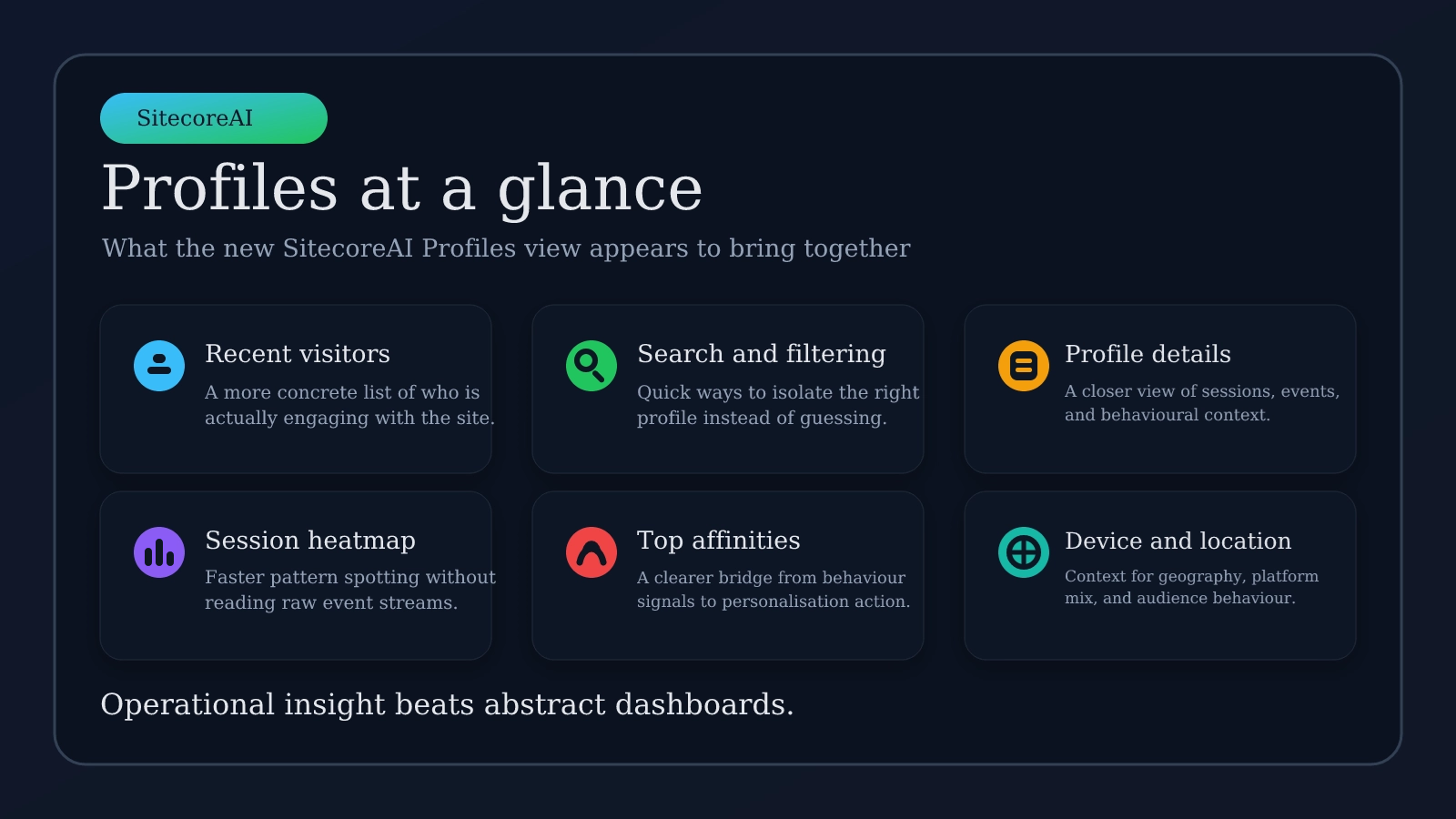
- A list of recent site visitors
- Filtering and search for specific profiles
- Profile detail views
- A session heatmap
- Daily device usage
- Top affinities
- A world map of session locations
- Additional session and event details
That list matters because it suggests Sitecore is not just adding another dashboard card. It looks more like an inspection layer for understanding individual visitor context.
Why this feature matters
A lot of digital teams have no shortage of data. What they lack is visibility.
They can see aggregated reports. They can see campaign metrics. They can see event counts. But the moment someone asks a practical question like these, things get fuzzy fast.
- What does one engaged visitor actually look like?
- What sequence of behaviour led someone into a high-intent audience?
- Are the affinities we're seeing believable, or are they noisy?
- Is mobile traffic behaving differently from desktop traffic for the same content journey?
- Do our personalization assumptions match real session behaviour?
A profile-level view helps answer those questions in a way summary dashboards usually can't. That's the real value here - no more data, but better interpretability.
Profiles could make personalization less theoretical
This is where the feature gets interesting.
In many organizations, personalization work gets trapped between two extremes:
- Strategy discussions that stay too high-level
- Implementation details that are too technical for the people making content and journey decisions.
- A feature like Profiles could give both sides a shared reference point.
If marketers, analytics, and platform teams can look at the same visitor profile view and inspect sessions, affinities, device mix, and event detail in one place, the discussion changes. It becomes easier to say:
- This audience definition looks useful
- This behaviour pattern is consistent
- This session path is messy
- This affinity looks misleading
- This journey is stronger on one device class than another
That kind of clarity is often what turns personalization from a slide deck topic into actual operational work.
The most useful parts of the announcement
A few pieces stand out more than the others.
Recent visitor list and search
This sounds simple, but it is probably one of the most practical elements.
When teams investigate anomalies, test changes, or validate audience logic, they need a fast way to move from a general question to a specific profile. Search and filtering make that possible.
Without that, profile data tends to exist in theory but not in workflow.
Session heatmap
If the heatmap is implemented well, this could be one of the strongest parts of the feature.
Heatmaps can help teams spot patterns quickly without forcing them to parse raw events line by line. Used properly, that makes behaviour analysis faster and more intuitive.
It also gives less technical stakeholders a way to understand session activity without needing a deep analytics background.
Top affinities
This may be the best bridge between raw behaviour and action.
Affinities are only useful if teams can trust them enough to make decisions. Seeing top affinities connected to an actual profile could help people evaluate whether the system's interpretation of visitor interest feels plausible.
That matters a lot in personalization work, because weak trust in audience intelligence usually kills adoption faster than missing features do.
Who should care about profiles
This is not just a platform feature for admins to glance at once and ignore.
The groups most likely to get value from it are:
- Marketing analysts - who need clearer behaviour inspection
- Personalization teams - trying to validate audience logic and engagement signals
- Digital strategists - who want more confidence in how visitors actually move through experiences
- Administrators and solution teams - supporting reporting, insight workflows, and troubleshooting
If you work anywhere near audience analysis, this is worth watching.
What profiles probably does not solve
It is also worth not overhyping this. The changelog describes visibility and exploration features, it does not describe some magical leap in prediction quality, identity resolution, or autonomous decisioning.
So no, this feature alone does not automatically fix:
- Poor event design
- Messy tracking strategies
- Weak audience definitions
- Inconsistent identity stitching
- Unclear governance around personal data
- Personalization programs that already lack a real operating model
If the inputs are sloppy, the profile view may simply make that sloppiness easier to see.
That's still useful, to be fair. But it's still not the same thing as solving the underlying problem.
The biggest watch-outs
There are three practical caveats in this announcement
Rollout is phased
This matters more than it seems. Teams will read about the feature and then go hunting for it immediately. Some won't have it yet.
So before anyone raises a support ticket or assumes the environment is misconfigured, verify whether the rollout has reached your organization.
Privacy and governance still matter
Profile-level visibility is powerful, but it also raises familiar questions.
Teams should think carefully about:
- What data is actually being surfaced
- How identity is being resolved
- What internal access patterns are appropriate
- Whether this aligns with existing privacy and compliance expectations
A feature can be useful and still require discipline.
UX quality will decide whether this sticks
This is one of those features that can be genuinely valuable or quietly ignored depending on education.
If navigation is clumsy, filters are slow, profile detail is fragmented, or the context feels incomplete, people will stop using it quickly. On the other hand, if is this fast and coherent, it could become one of the most practical analysis surfaces in the product.
That part will matter just as much as the headline feature list.
My take
This is the kind of SitecoreAI feature I tend to like, it's not flashy, but it's potentially very useful.
Profiles does not sound revolutionary, but it sounds operational. And operational features are often the ones that make the biggest day-to-day difference.
If Sitecore has built this well, and it looks like they have, it could make audience insights more inspectable, personalization conversations more grounded, and behaviour analysis less hand-wavy.
If so, this would be a meaningful improvement. Not just because it adds more dashboards, but because it helps teams see the people behind the data a bit more clearly.
For anyone working in analytics and personalization, this is one to keep an eye on as the rollout expands.