Reading time: 6 min read
Upgrading SitecoreAI from JSS to CDK 2.0
A practical look at what really changes when you move a SitecoreAI project from legacy JSS patterns to the newer CDK 2.0 model.
Start typing to search...
Upgrading a SitecoreAI project from JSS to CDK 2.0 is the kind of task that sounds smaller than it really is. On paper, it looks like a framework migration. In practice, it's a shift in how you think about the project structure, developer workflow, and the boundary between Sitecore specific implementation details and the application code sitting around them.
So if you're planning on migrating to CDK 2.0, the first thing you need to understand is this: this is not a change of a couple of packages and hope for the best upgrade.
You can absolutely get through it cleanly, but only if you treat it like a proper migration.
The move from JSS to CDK 2.0 is not just a rename.
It reflects a broader push toward a more modern, cleaner and more opinionated development model for SitecoreAI projects. The goal is better alignment with current framework patterns, better tooling, and a clearer foundation for future development.
The uncomfortable version is that older JSS based solutions carry a lot of historical baggage.
This matters more than people think. Not every JSS project is equally hard to migrate.
A fairly clean implementation with modern React or Next.js patterns, good component boundaries, and restrained customization is one thing. A long-lived project with years of upgrades, custom pipelines, edge-case rendering logic, and unclear ownership is something else entirely.
Before touching this upgrade, review the following:
You need to know where the weird parts are, because there will be weird parts.
Any migration like this should begin with the official SitecoreAI / CDK upgrade path and release notes.
That gives you the baseline:
But that is only the starting point, official guides tell you what changed. They do not tell you how messy your own project is. That part is still your problem.
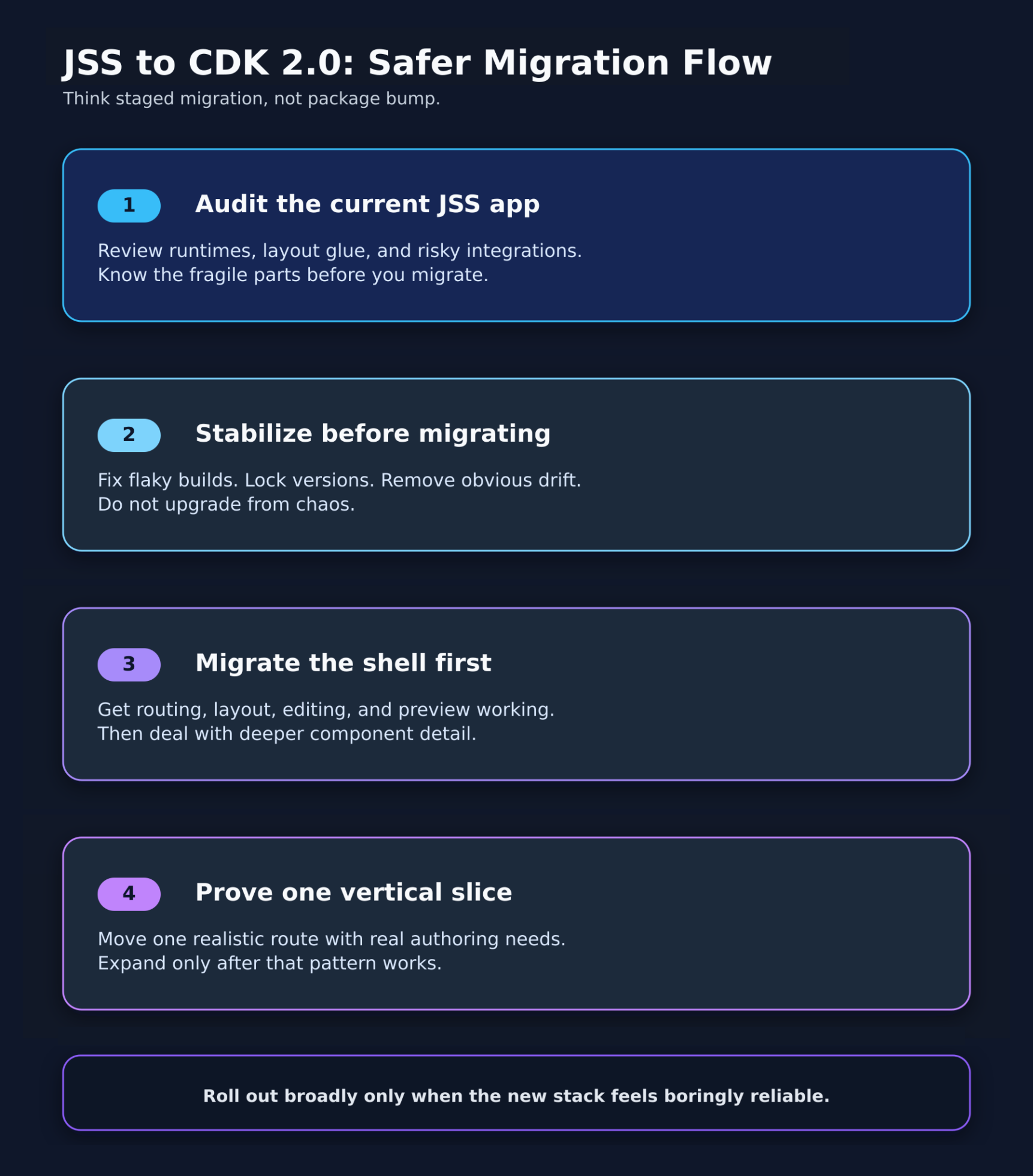
The safest way to move from JSS to CDK 2.0 is to treat it as a staged migration. Not a one-shot leap. You will want to upgrade from each major release to the next. For example, if you are on JSS SDK 22.6.0 you will need to upgrade to 22.7.0 then 22.8.0, then on to CDK 1.0, from there CDK 1.1, then CDK 1.2, then 1.3, then 1.4, then 1.5. From there you can upgrade to CDK 2.0.
If the current JSS implementation is already shaky, fix the obvious instability before migrating. That includes things like:
Do not upgrade from chaos, you will just get newer chaos.
CDK 2.0 is likely to come with updated expectations around framework and runtime versions.
Check:
A lot of upgrade pain comes from infrastructure mismatch, not the application code itself.
This is where the real work will be done. Find the places where your project is tightly coupled to older JSS conventions, that might include:
You need to know what is genuinely framework-specific versus what is just normal application logic. That separation makes the migration far easier.
A good rule of thumb here is to get the outer structure working first.
Focus on:
Once the shell is stable, then move deeper into component-level behaviour and special cases.
If you do this in the opposite order, you end up debugging everything at once. That's miserable.
Pick a realistic path through the application.
For example:
This becomes your proof that the migration approach actually works. If that slice is healthy, expand outward. If it isn't, stop and fix the pattern before copying the problem everywhere.
During migrations, teams love compatibility shims. Some are necessary, but too many become permanent.
If you add temporary wrappers, transitional helpers, or compatibility layers, track them aggressively. Otherwise you finish the migration and discover you're still carrying half the old system inside the new one, which defeats the point.
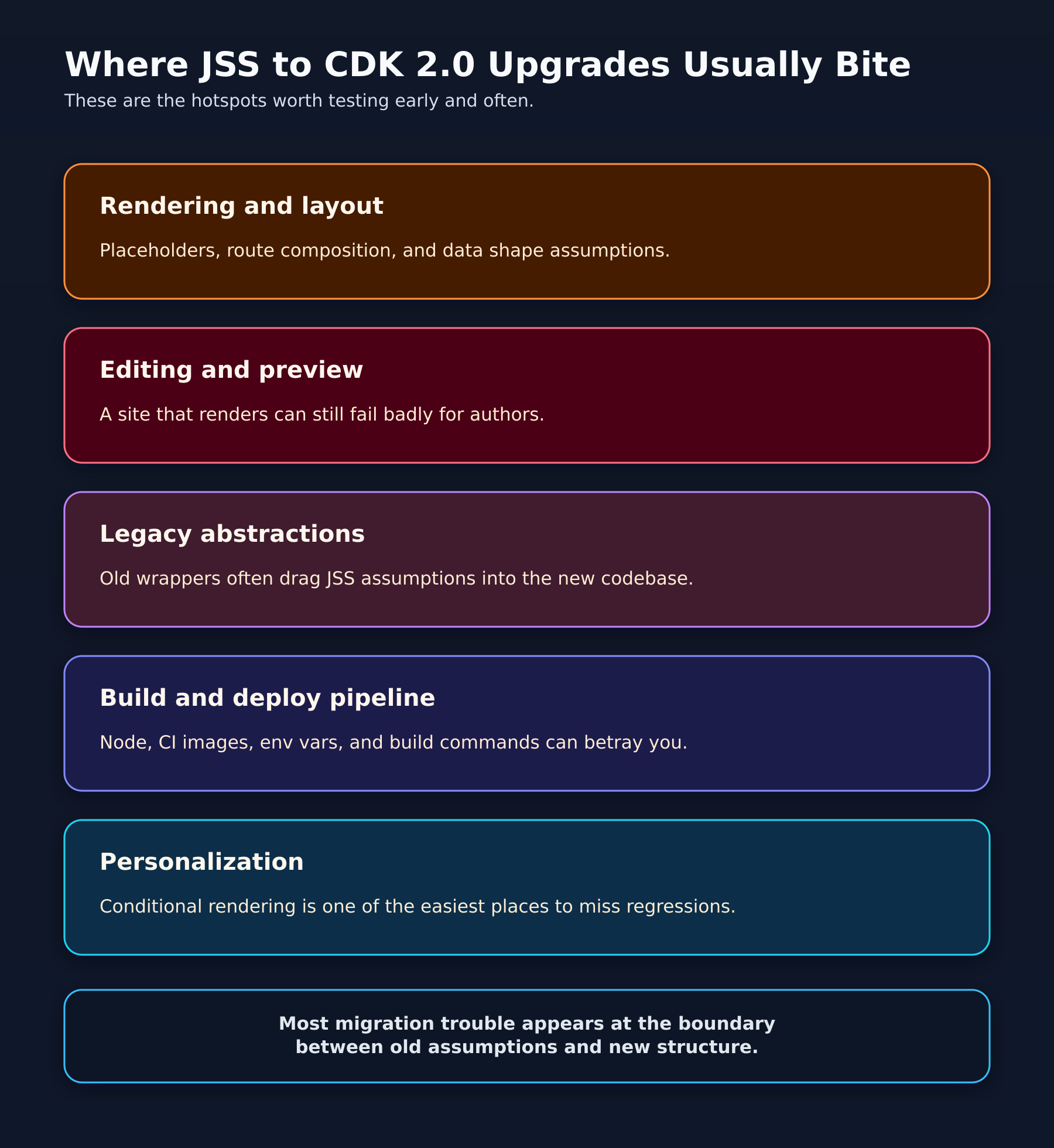
These are the places I would expect the most trouble.
Anything tied to route composition, placeholders, layout services, or component data contracts deserves extra attention.
Even small differences in how data is shaped or how rendering flows through the app can create lots of annoying downstream issues.
A migration is not successful just because the public site renders.
If authoring, preview, or editing workflows break, your content team will find out fast.
And they will be right to complain.
Test these explicitly:
If the existing project has personalization logic, pay close attention to how those decisions are applied and how data reaches the components involved.
This is one of those areas where "mostly working" is often not actually working.
A migration can look fine locally and still fail in CI or production because of:
Always assume deployment will reveal something your local machine politely ignored.
A successful JSS to CDK 2.0 migration should leave you with:
That last point really matters. A migration should not get you onto the new stack. It should reduce the amount of future pain.
If the new solution is just as fragile as the old one, something went wrong.
A few things are especially good at turning this into a mess.
This is a classic mistake. If you change the framework, redesign the component architecture, overhaul the content model, and rewrite the deployment pipeline all at once, you create far too many moving parts.
Pick your battles.
Some custom wrappers deserve to die.
If a helper only exists to hide an old JSS pattern that CDK 2.0 no longer needs, removing it is a feature, not a loss.
Developers often judge the migration by whether the app compiles.
Authors judge it by whether they can do their jobs.
The authors are not wrong.
Make sure to do this carefully:
Because reliable is what we're looking for.
Upgrading from SitecoreAI JSS to CDK 2.0 is a lot of work, but worth doing, but only if you approach it like a real migration and not a simple package refresh.
The technical changes matter, but the bigger opportunity is to clean up the years of accidental complexity that older JSS projects tend to accumulate.
If you do it well, CDK 2.0 can give you a more modern foundation, a cleaner development model, and a project that is easier to understand six months later.