Reading time: 4 min read
Updating Sitecore Licenses On Azure PaaS
Finding Every Horcrux.
Start typing to search...
With the proliferation of Sitecore PaaS infrastructure, embracing scalability and the necessary segmentation of Sitecore into various roles, we have license files in so many places. Updating license files is particularly daunting in a scaled/PaaS environment. It feels akin to hunting down Horcruxes. So — I’m sharing a simple tool and process I created to help make short work of updating license files.
https://demosite93-si.azurewebsites.net, the prefix is demosite93.license.xml to your clipboard.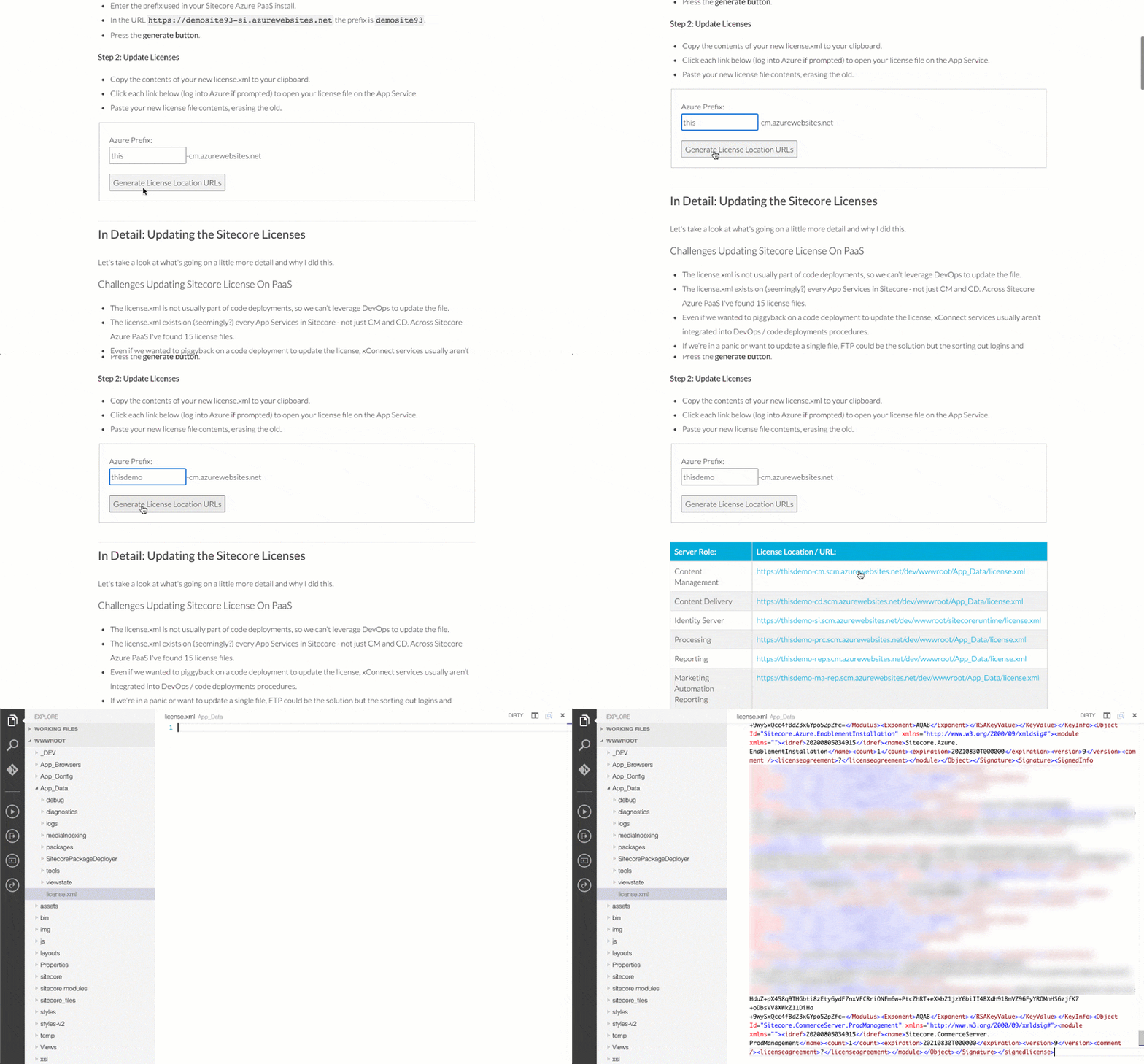
Let's take a look at what's going on in a little more detail and why I did this.
license.xml is not usually part of code deployments, so we can’t leverage DevOps to update the file.license.xml exists on (seemingly?) every App Service in Sitecore — not just CM and CD. Across Sitecore Azure PaaS I've found 15 license files.license.xml.license.xml file. Super quick.license.xml file. Unzip the file if needed.license.xml file in a text editor of your choice and copy its contents to your clipboard. (CTRL+C or CMD+C if elite!)Generally, this is what it should look like when you open it up (values have been obscured).

If you’re unfamiliar with the App Service Editor, it's available on all Windows-based App Services and allows you to directly edit files. We’re going to use this to update the license files.
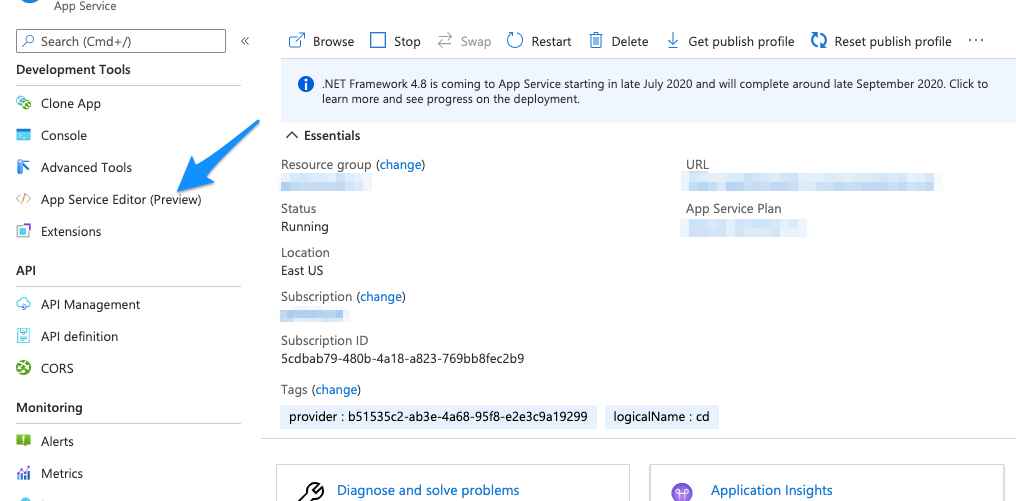
After launching the App Service Editor you can search for license files using the settings shown below. As the tool at the top of the page can be used to link directly to the license files, this isn’t really needed. But it’s included for reference.
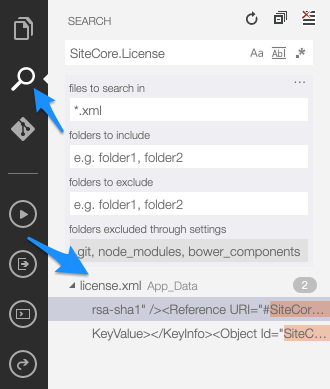
license.xml file are still in your clipboard.license.xml file on each App Service.| Sitecore Server Role | License Location |
|---|---|
| Content Management | /wwwroot/App_Data/license.xml |
| Content Delivery | /wwwroot/App_Data/license.xml |
| Identity Server | /wwwroot/sitecoreruntime/license.xml |
| Processing | /wwwroot/App_Data/license.xml |
| Reporting | /wwwroot/App_Data/license.xml |
| Marketing Automation Reporting | /wwwroot/App_Data/license.xml |
| Marketing Automation Operations #1 | /wwwroot/App_Data/jobs/continuous/AutomationEngine/App_Data/license.xml |
| Marketing Automation Operations #2 | /wwwroot/App_Data/license.xml |
| Cortex Reporting | /wwwroot/App_Data/license.xml |
| Cortex Processing #1 | /wwwroot/App_Data/jobs/continuous/ProcessingEngine/App_Data/license.xml |
| Cortex Processing #2 | /wwwroot/App_Data/license.xml |
| xConnect Collection | /wwwroot/App_Data/license.xml |
| xConnect Search #1 | /wwwroot/App_Data/jobs/continuous/IndexWorker/App_Data/license.xml |
| xConnect Search #2 | /wwwroot/App_Data/license.xml |
| xConnect Reference Data | /wwwroot/App_Data/license.xml |
When you look at the table from the perspective of unique locations, you can see how there are fewer locations to update licenses on in a local developer instance or on XP Single topologies.
I hope you find that this approach saves you time and gives you a little extra confidence in updating these license files.